Construction Management Software Comparison
Trying to compare construction management software can feel like you're drowning in options. Every platform promises to be the silver bullet for your job site headaches, but let's be real—there's no one-size-fits-all solution. The best tool is the one that actually fits your workflow, whether you're focused on nailing down budget tracking or simplifying daily field reports. This guide is here to help you cut through the marketing fluff and give you a clear, practical way to evaluate the top players.
Choosing Your Digital Job Site Partner

The days of relying solely on paper blueprints and clunky spreadsheets are numbered. The construction industry is making a decisive shift to integrated digital platforms, and it’s not just for show. This move is a direct response to the same old problems that plague projects: budget overruns, frustrating schedule delays, and communication breakdowns that can sink even the most carefully planned jobs.
Think of the right software as the central nervous system for your entire operation. It connects the office to the field in real-time, creating a single source of truth for every owner, architect, and subcontractor involved. It’s about much more than just cloud storage for your files.
This isn't just a niche trend; the market numbers tell the story. The global construction management software market was valued at USD 9.94 billion in 2023 and is expected to climb to around USD 24.12 billion by 2032. This explosive growth shows just how much the industry is banking on these tools to get more efficient and keep projects under control. You can explore the full market growth analysis to see the data for yourself.
Key Functions of Modern Construction Software
At its core, a good construction management platform should simplify your project's entire lifecycle, from the first bid to the final punch list. The most valuable tools deliver in four key areas:
Improved Collaboration: Keeps owners, architects, general contractors, and subs on the same page by centralizing all communication.
Enhanced Financial Control: Gives you a live look at job costs, change orders, and the overall financial health of a project. No more waiting for last month's numbers.
Better Document Management: Makes sure everyone is working off the latest plans, RFIs, and submittals, which prevents costly rework.
Streamlined Field Operations: Puts daily logs, safety checklists, and task lists directly into the hands of your field teams via mobile devices.
The real magic happens when you connect workflows that used to be separate. Imagine your bidding process automatically populating your project budget, or a field report instantly updating the master schedule. That’s how you get rid of the friction that causes expensive mistakes and delays.
A huge piece of that puzzle is managing all your subcontractors and suppliers. To get them organized effectively within a new system, it helps to lean on proven strategies. We put together some useful tips in our guide covering 9 vendor management best practices for 2025.
How to Define Your Selection Criteria

Before you even think about comparing different construction management software, you need to take a hard look at your own business. The best software isn't about having the most bells and whistles; it’s about finding the tool that actually fixes your biggest headaches. If you jump into demos without this clarity, you'll just get dazzled by features you'll never use.
Start by sketching out your current process, from the first bid to the final punch list. Where do things get stuck? Are you drowning in RFIs, struggling to keep change orders straight, or spending hours chasing down daily reports from the field? Identifying these specific pain points gives you a non-negotiable list of "must-have" features. This changes the game from passively watching demos to actively hunting for a real solution.
This focused approach is more critical than ever. The construction software market in North America was worth USD 1.73 billion in 2024 and is expected to climb to USD 3.08 billion by 2032. Why? Because smart companies are moving past generic tools and looking for software that solves specific problems in how they plan and run their projects. You can learn more about these construction tech market trends.
Assessing Your Team and Project Needs
The most powerful software on the market is useless if your team won't use it. You have to be realistic about your crew's comfort level with technology. A feature-rich system that’s a nightmare to navigate on a phone will collect digital dust. Be honest about your team's willingness to learn something new and make that a key part of your decision.
The type of work you do matters, too. A custom home builder and a large commercial GC operate in completely different worlds, and their software should reflect that.
Residential builders usually need strong client communication tools, ways to track homeowner selections, and straightforward invoicing.
Commercial GCs are often looking for heavy-duty financial tools, subcontractor compliance management, and complex scheduling features.
Specialty contractors might need hyper-focused tools for things like mobile time tracking, detailed daily logs, and perfect document control for their specific trade.
Your goal here is to build a personalized scorecard before you see a single demo. This isn't just a list of features; it's a weighted checklist that reflects what truly matters to your business, giving you a clear, objective way to judge each platform.
Building Your Evaluation Scorecard
Now it's time to turn those needs into a practical checklist. Grouping your criteria into categories ensures you don't miss anything important when the sales pitches start flying.
Core Functionality: Does the software nail the top three things you need it to do? Think estimating, scheduling, or document control.
Field Usability: Is the mobile app actually easy to use? Is it fast? Does it work when cell service is spotty?
Financial Management: How well does it handle the money side—job costing, change orders, and getting invoices out the door?
Integration Capability: Will it play nice with the software you already use, like your accounting or estimating programs?
Implementation and Support: What kind of training do they offer? When you have a problem, will a real person be there to help you?
By getting this all defined upfront, you put yourself in the driver's seat. You’re not just buying software anymore; you’re making a strategic investment in a tool that’s built for the way you work.
Comparing The Top Construction Software Platforms
Picking the right construction software isn't just a tech upgrade; it's a fundamental business decision that will ripple through every part of your operations. When you put the big names side-by-side, you'll see that most of them—like Procore and Autodesk Construction Cloud—offer a similar menu of core features. The real difference isn't if they have a financials module, but how that module actually handles a change order or talks to your accounting system.
This is where you have to look beyond the sales pitch. Forget the simple feature checklists. The only way to properly vet these tools is to see them through the lens of your daily grind on the job site. One platform might be a powerhouse for enterprise-level financial controls, making it the perfect fit for a large general contractor. Another might win on its dead-simple mobile app, which is exactly what a specialty contractor needs when their team lives and breathes in the field.
Differentiating Workflows And Core Strengths
Let's get practical and break down how these platforms actually differ on the ground. Procore has earned its reputation as a true all-in-one solution, with a laser focus on financial management and tight project controls. It’s built to be the single source of truth for massive, complex jobs, connecting everything from the initial bid to the final closeout package. Its core strength is its unified, comprehensive environment.
Autodesk Construction Cloud, on the other hand, plays to its heritage in design software. Its killer feature is the seamless connection to tools like Revit and AutoCAD, making it a no-brainer for firms that are heavily invested in Building Information Modeling (BIM). The platform truly shines at bridging that critical gap between the design and construction phases, letting model data flow straight to the field teams.
Then you have players like Buildertrend, which are hyper-focused on the residential construction space. Sure, it does project management, but its real value lies in its client-facing tools. Things like homeowner portals and selection management are absolute game-changers for custom home builders and remodelers. For a broader look at the options available, check out our guide to the 12 best construction project management tools for 2025.
The key takeaway is to match the software's philosophy to your business's operational style. Are you a data-driven GC who needs granular financial control, or a design-build firm where BIM collaboration is paramount? The answer will point you to the right ecosystem.
Evaluating Usability And Field Adoption
Let's be honest: a platform's power is useless if your field crew won't touch it. User adoption is probably the single most important metric for success, and it all comes down to a great mobile app and an intuitive design. When you’re comparing platforms, you have to get your hands dirty. Can a superintendent actually complete a daily log with spotty cell service? How many taps does it take to snap a photo and attach it to an RFI? Those are the questions that matter.
This is Procore's dashboard, designed to give you a quick health check on your project at a glance.
This visual-first approach helps project managers spot potential fires without having to dig through dense reports. It’s a clear focus on the end-user experience.
The structured process of evaluating software isn't unique to construction; it applies to almost any business need. This detailed visitor management software comparison, for example, offers a great framework for comparing features against real-world benefits, even though it's for a different industry.
In the end, the best platform is the one that just works, fading into the background so your team can build more efficiently without extra headaches. Don't settle for a canned demo. Demand a real-world trial for your field team and listen closely to their feedback. Their buy-in will tell you everything you need to know about whether it's a smart investment.
Software Feature And Use Case Comparison
To help you visualize where each platform fits, this table breaks down their core strengths and ideal use cases. It's a starting point for matching a solution to your specific company profile and project types.
Software | Core Strength | Best For (Company Size) | Ideal Project Type | Key Integration Capability |
|---|---|---|---|---|
Procore | Unified project & financial management | Mid-size to Enterprise | Commercial, Industrial, Institutional | ERP & Accounting (Sage, Oracle) |
Autodesk Construction Cloud | BIM & Design-to-Field workflow integration | All Sizes | Design-Build, Complex Commercial | Autodesk Suite (Revit, AutoCAD) |
Buildertrend | Residential client management & sales tools | Small to Mid-size | Custom Homes, Remodeling | QuickBooks, Houzz |
This comparison shows there's no single "best" platform—only the one that's best for your business. A large GC managing a hospital build has vastly different needs than a custom home builder managing client selections. Use this as a guide to narrow down your choices before you dive into demos.
Analyzing Advanced Features and Integrations
Beyond the standard project management tools, the top-tier platforms really start to separate themselves with their advanced features and integration capabilities. Any basic software can probably get you through a project today, but the real test is whether it can grow with your company and adapt to new industry tech. This means you have to look past the core modules and see how committed a platform is to innovation.
Take Building Information Modeling (BIM) integration, for instance. If you're a design-build firm or a contractor on a complex commercial job, the ability to pull data directly from Autodesk Revit into the field is a massive advantage. We're not just talking about looking at 3D models on a tablet. It's about connecting the designer's intent directly to the crew on-site, spotting clashes before they happen, and making sure everyone is building from the absolute latest version of the model.
Future-Proofing With Technology
Construction tech is moving fast. When you're comparing software, a huge piece of the puzzle is seeing how well each platform brings in next-generation tools. This is where you can tell the difference between a solution that's just "good enough" and one that's truly exceptional.
One of the biggest shifts we're seeing is the use of artificial intelligence (AI) and machine learning (ML) to get ahead of problems. Think of these technologies as a smart assistant, constantly analyzing project data to flag potential risks and safety issues before they escalate. This proactive approach helps slash cost overruns by refining designs, boosting productivity, and even helping to manage labor shortages more effectively.
This image from Autodesk Construction Cloud is a perfect example of how data-rich models become part of the daily project management workflow.
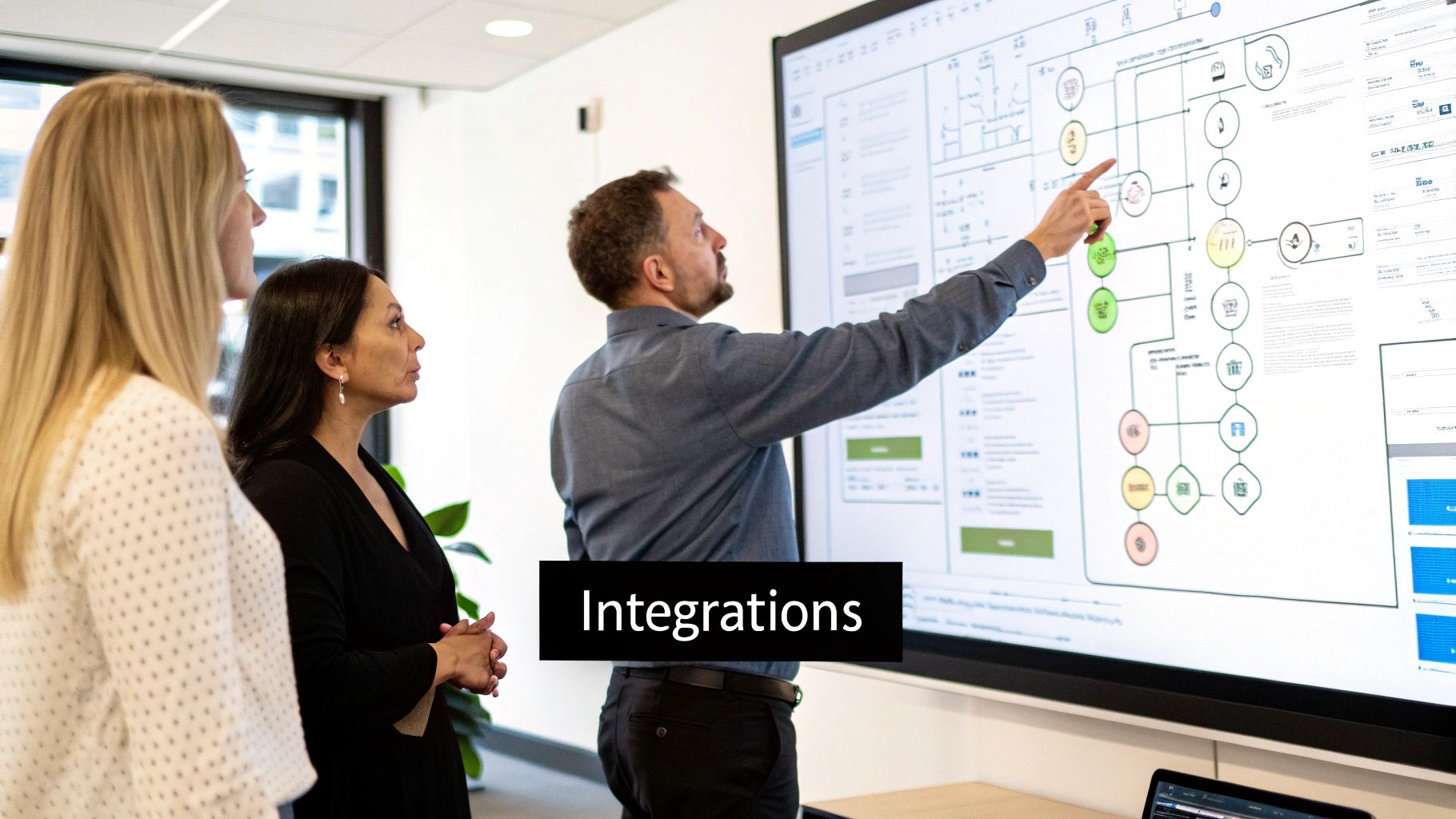
When you have this level of integration, a 3D model stops being just a static design file and becomes a living, data-driven tool for the entire project team.
Evaluating The Integration Ecosystem
Let's be realistic—no software operates in a silo. How well it connects to the rest of your tech stack is absolutely critical. If it doesn't play nicely with your accounting system like Sage or your go-to scheduling tools, you're signing up for frustrating workarounds and mind-numbing manual data entry. That completely defeats the purpose of having a unified system in the first place.
When you're looking at integrations, keep an eye out for a robust, open API. That's a strong signal that the platform was built for flexibility. It means you can create custom connections that fit your specific workflows and the tools your team already knows and trusts.
For a truly connected job site, you need efficient real-time data synchronization to keep information consistent across every system. Powerful scheduling is another common pain point, and sometimes you need a dedicated tool for that. To see what's out there, take a look at our deep dive into the 12 best construction scheduling software tools for 2025. This will help ensure whatever central platform you choose can talk to the specialized apps that handle your most critical processes.
Diving into Real-World Scenarios
A spec sheet can tell you what a piece of software does, but it can't tell you how it will hold up on a real job site. The true measure of any construction management platform is its performance in the controlled chaos of an actual project. Let's step away from feature lists and see how these tools fit into specific, day-to-day construction roles.
The right software really comes down to your company's DNA. A powerhouse platform built for a massive commercial general contractor could easily overwhelm a small residential remodeler with features they'll never use. The key is matching the software’s core strengths to how your team actually works.
Scenario One: The Large Commercial General Contractor
Picture yourself at the helm of a $50 million hospital expansion. Your day is a constant juggle of complex financial controls, mountains of compliance paperwork, and herding dozens of subcontractors. In this high-stakes environment, an all-in-one platform isn't a nice-to-have; it's the only way to stay sane.
For this kind of job, [Procore](https://www.procore.com/) is hard to beat. Its entire system is engineered for this level of complexity.
Financial Management: It gives you that hawk-eye view you need, connecting the initial budget directly to live job costs, change orders, and invoices. That kind of granular control is non-negotiable for a large GC.
Subcontractor and Compliance Tracking: This is where it really earns its keep. It masterfully handles the endless stream of lien waivers, insurance certificates, and other compliance docs for every single sub, drastically cutting down your risk exposure.
A Unified Platform: Procore becomes the central nervous system for the project, linking the owner, architect, and every trade in a single space. For a job with hundreds of stakeholders, that single source of truth is critical.
When you're a large-scale GC, your biggest battles are against complexity and risk. You need your software to be a fortress of control and a central hub for every dollar and document. That's why Procore's comprehensive toolset just makes sense.
Scenario Two: The Specialty MEP Contractor
Now, shift gears. You're a mid-sized mechanical, electrical, and plumbing (MEP) contractor. Your crews are always in the field, so your top priorities are field productivity, getting accurate daily reports, and making sure your work aligns perfectly with the GC's latest plans. You don't need a clunky, back-office-heavy system; you need something built for the field, something fast and mobile.
This is where a more focused, field-first solution really shines. A tool like [Fieldwire](https://www.fieldwire.com/) (formerly Fieldlens) or the mobile-centric parts of [Autodesk Construction Cloud](https://construction.autodesk.com/) are a much better fit.
These platforms are designed with the person holding the tools in mind. They make it dead simple for a foreman to knock out a daily report with photos, track labor hours, and manage a punch list right from a tablet. The whole point is speed and simplicity, which means your field crews will actually use it. And for any MEP contractor neck-deep in BIM, Autodesk's seamless connection to Revit models is a huge leg up for spotting clashes before they become costly problems.
Scenario Three: The Custom Homebuilder
Finally, let’s look at a custom homebuilder juggling five unique, high-end projects at once. This business is all about managing client relationships, tracking countless finish selections, and keeping homeowners in the loop on budget and schedule. The heavy financial tools of an enterprise system are complete overkill here. The real priority is the client experience.
[Buildertrend](https://buildertrend.com/) and [CoConstruct](https://www.coconstruct.com/) were practically born for this role. These platforms excel with features that directly solve the headaches of residential building.
They both offer slick, integrated client portals where homeowners can log in to approve selections, browse progress photos, and see exactly where their budget stands in real time. This level of transparency not only builds immense trust but also cuts out the endless back-and-forth of phone calls and emails. It frees up the builder to do what they do best: build beautiful homes and keep their clients happy.
Common Questions About Construction Software
Once you've narrowed down your options, a few final questions always seem to pop up. Getting straight answers to these is the key to choosing with confidence and making sure the rollout to your team goes smoothly. Here are the most common things we hear from construction pros at this stage.
What Is The Biggest Mistake to Avoid When Choosing?
Hands down, the single biggest mistake is picking software based on a flashy feature list while completely overlooking user adoption. You can have the most powerful platform on the market, but if your project managers, supers, and field crews find it clunky or confusing, it’s worthless.
Focus on platforms with a clean, intuitive interface and a rock-solid mobile app. Good training and support are just as important. The real value of any software is whether it actually gets used on the job site every single day.
My best advice? Get your end-users—the superintendents, foremen, and field staff—involved in the demos. Their buy-in is the single most accurate predictor of whether you'll see a genuine return on your investment.
How Do I Calculate The True ROI?
Figuring out the real return on investment (ROI) for construction software means looking beyond the monthly subscription fee. You have to account for both the hard numbers and the "softer" gains to understand the full impact on your business.
First, look at the direct financial wins. Track the time saved on tasks like daily reports and document control, the cost savings from catching mistakes before they lead to rework, and how much tighter your budget tracking has become. These are your quantitative benefits.
Then, you need to consider the qualitative improvements, which are just as valuable:
Better Client Relationships: A polished client portal can make all the difference, leading to happier customers and more repeat business.
Stronger Safety Culture: When safety checklists and incident reports are digitized, you can reduce incidents and potentially lower your insurance premiums.
Smarter Risk Management: Having all your data in one place helps you spot trends and get ahead of problems before they blow up your budget.
Happier Team: Nobody likes paperwork. Giving your team tools that cut down on administrative grunt work makes their jobs less frustrating and more productive.
A true ROI calculation puts all of these benefits up against the total cost of ownership, which includes subscription fees, any one-time setup costs, and the time your team invests in training.
All-In-One Platform Or Best-In-Class Solutions?
The choice between a single, all-in-one platform and a stack of specialized "best-in-class" tools really comes down to your company's size, complexity, and how comfortable you are with technology. There’s no one-size-fits-all answer here.
An all-in-one system like Procore gives you a single source of truth. Data flows seamlessly from financials to project management, which is a huge plus for larger firms that need to standardize processes across many teams and projects.
On the other hand, a best-in-class strategy lets you pick the absolute best tool for each specific job, whether it’s bidding, scheduling, or safety. This approach can be perfect for specialty contractors or companies with very specific workflows, as long as you have a solid plan for making sure all the different tools talk to each other.
How Important Is Mobile Accessibility?
It’s not just important—it is absolutely critical. Construction happens in the field, not in the office. If your software doesn’t have a fast, reliable, and easy-to-use mobile app, you’re missing the entire point.
Your crews need to be able to pull up the latest drawings, fill out daily logs, complete safety forms, and manage RFIs right from their phone or tablet. A clunky mobile experience creates an information bottleneck that slows everything down. When you’re doing your construction management software comparison, put every mobile app through its paces in a real-world setting. Don't forget to test its offline capabilities, too.
Ready to stop wasting time on manual processes that slow your projects down? Flow Genius specializes in designing and implementing smart automation workflows that connect your software, eliminate data entry, and give your team back valuable hours. Book a discovery call to build your custom automation blueprint.

Comments